User Guide: Websocket Settings Configuration (Mimi)
The Websocket Settings section is the control center for adjusting Mimi's real-time voice behavior during a phone call, as well as appointment scheduling rules, anti-spam filters, and transfers to a human agent.
📌 Important Note: This section has already been pre-configured by the Jadeon team upon delivering and integrating your platform. Your system is 100% optimized and operational, so you do not need to modify any parameters unless you deliberately wish to update a specific setting or field (such as adjusting your business hours or changing the phone number for human transfers).
1. Real-Time Voice Agent Behavior (Voice Agent Overrides)
This section controls speech detection sensitivity, response timing, and automated prompts during phone calls.
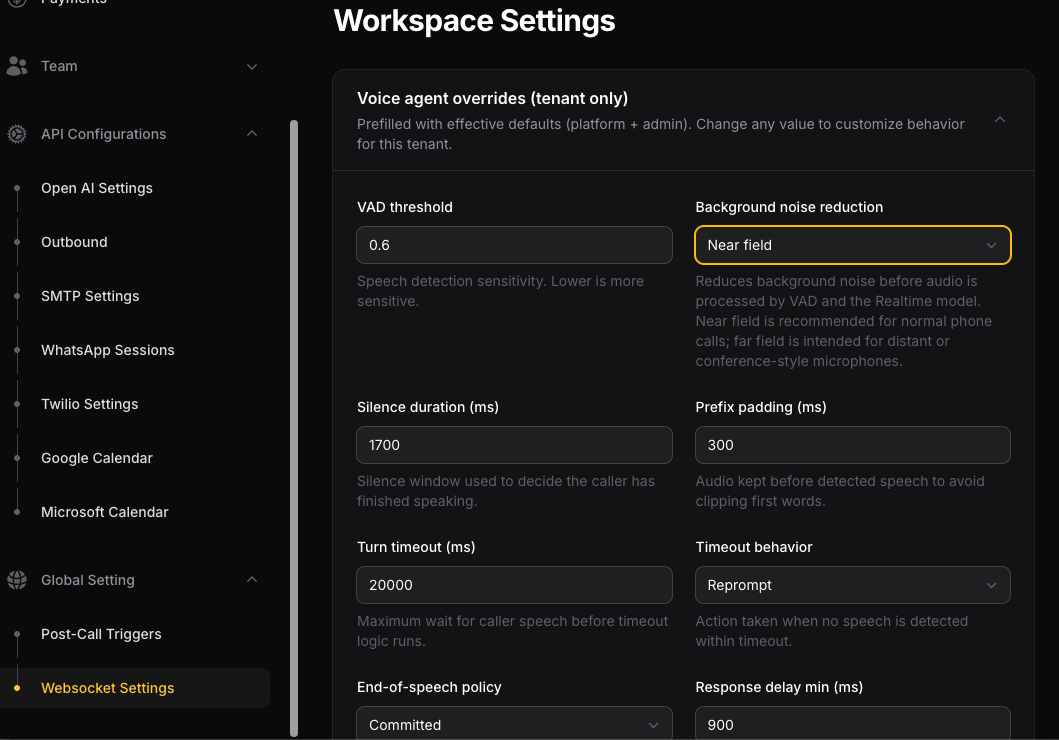
- Voice and Noise Detection (VAD Threshold & Noise Reduction):
VAD threshold: Adjusts the sensitivity for detecting the caller's voice. A lower value makes the AI microphone more sensitive.
Background noise reduction: Filters background noise. Use Near field for standard phone calls or Far field if the caller is speaking through a speakerphone or distant microphone.
- Silence and Timeout Settings (Silence Duration & Turn Timeout):
Silence duration (ms): The duration of silence required to determine that the caller has finished speaking.
Turn timeout (ms) & Timeout behavior: The maximum wait time before Mimi reacts if no speech is detected. With Reprompt, the AI will issue a spoken message to keep the conversation active.
- Response Pauses and Interruption Sensitivity:
Response delay min / max (ms): The minimum and maximum pause the assistant takes before responding, ensuring a natural conversation flow.
Barge-in enabled & sensitivity (ms): Allows callers to interrupt Mimi while she is speaking. Barge-in sensitivity defines how many milliseconds the caller must speak to pause the AI's speech.
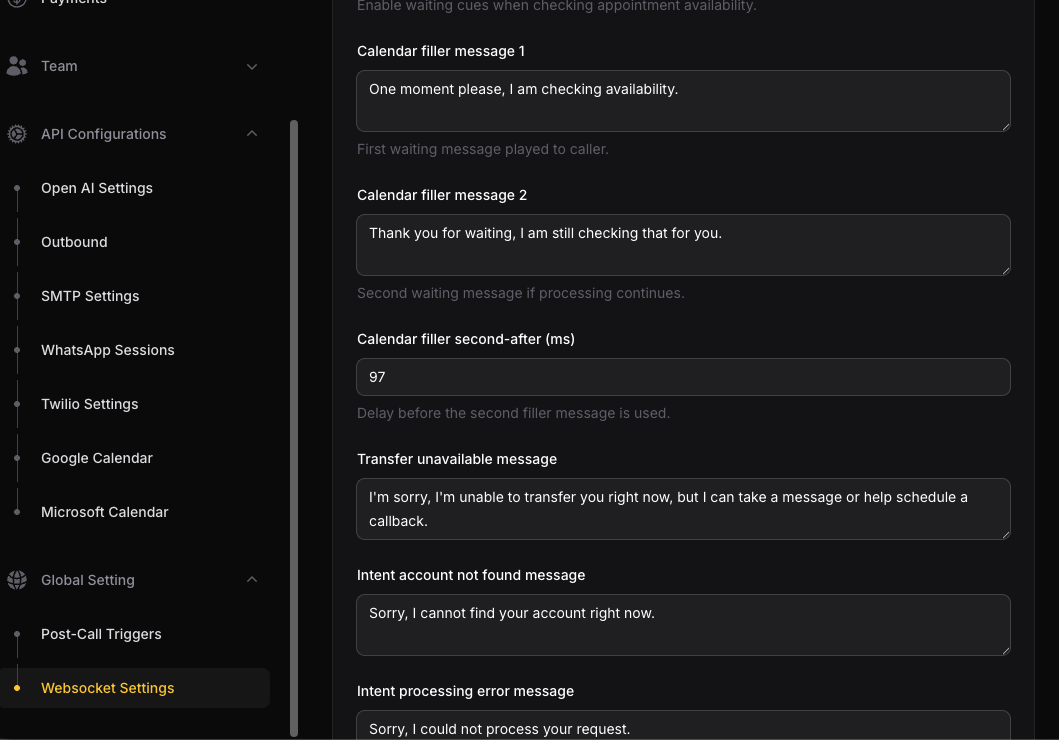
- Waiting Messages (Calendar Fillers) and Spoken Prompts:
Calendar filler enabled & messages: Enables waiting prompts (e.g., "One moment please, I am checking availability") while the AI queries your calendar in the background.
2. Scheduling Rules and Hours (Scheduling Overrides)
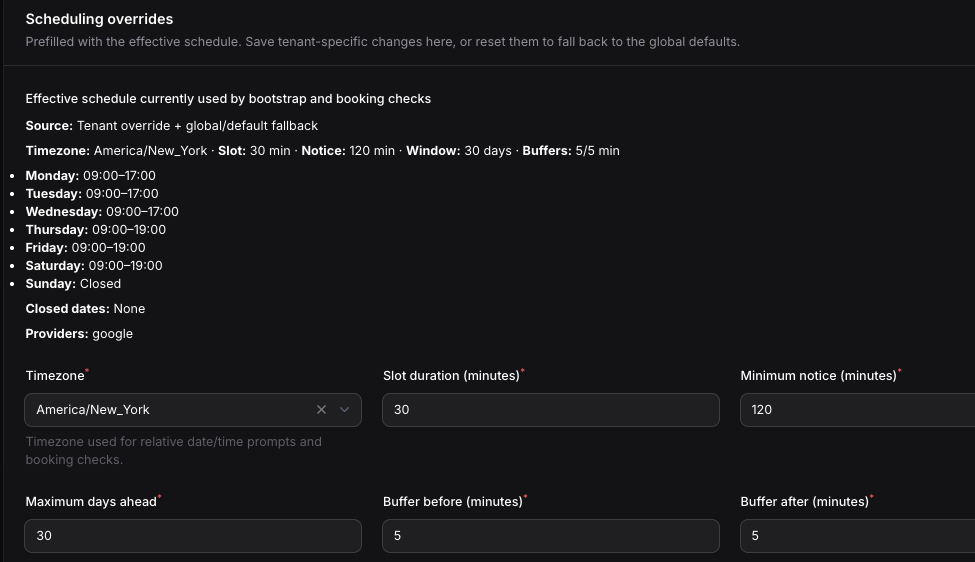
Sets the parameters Mimi uses to validate availability in your calendar during a call.
- Booking Parameters:
Timezone: The time zone applied when validating dates and times.
Slot duration (minutes): The duration assigned to each appointment (e.g., 30 minutes).
Minimum notice (minutes): The minimum advance notice required to book an appointment (e.g., 120 minutes).
Maximum days ahead: The maximum number of days into the future callers can schedule appointments.
Buffer before / after (minutes): Buffer time added before and after each appointment to avoid back-to-back meetings.
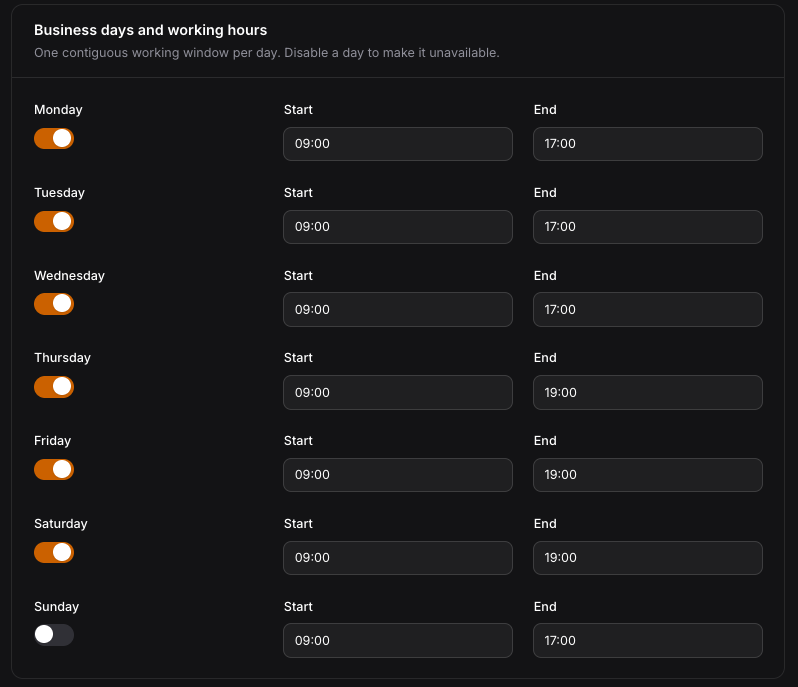
- Business Days & Working Hours:
Enable or disable specific days of the week and set the exact start (Start) and end (End) times.
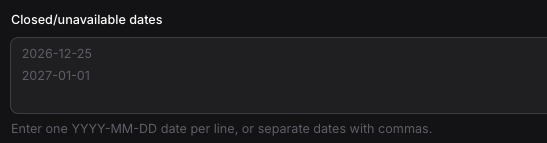
Closed/unavailable dates: A list of closed dates or holidays (formatted as YYYY-MM-DD).
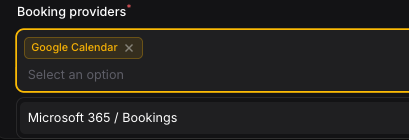
Booking providers: Selection of the active calendar provider (Google Calendar or Microsoft Calendar).
3. Caller Verification
- Anti-Spam / Anti-Robocall Filter:
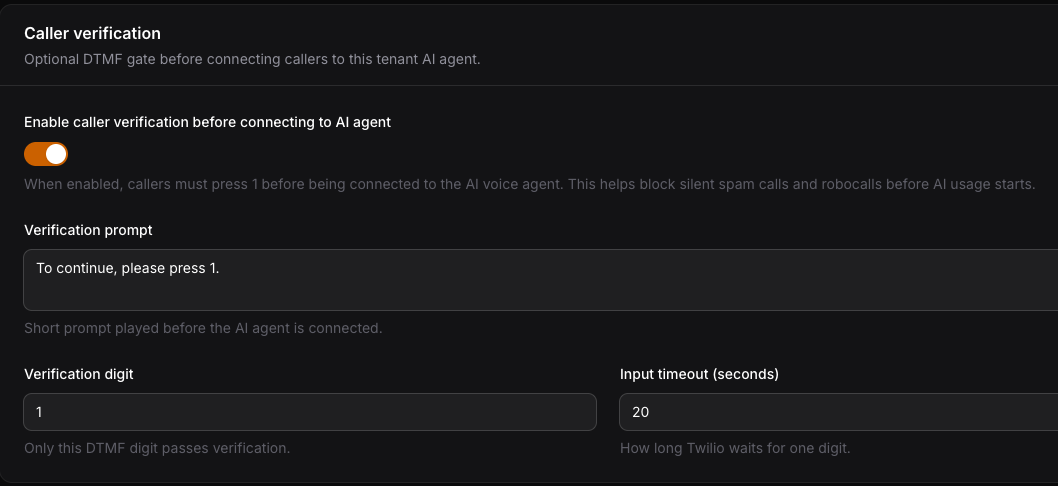
Enabling Enable caller verification requires callers to press a keypad digit (e.g., 1) before connecting to the AI. This prevents unnecessary credit consumption from silent calls or automated spam.
4. Human Transfer
- Live Call Rerouting:
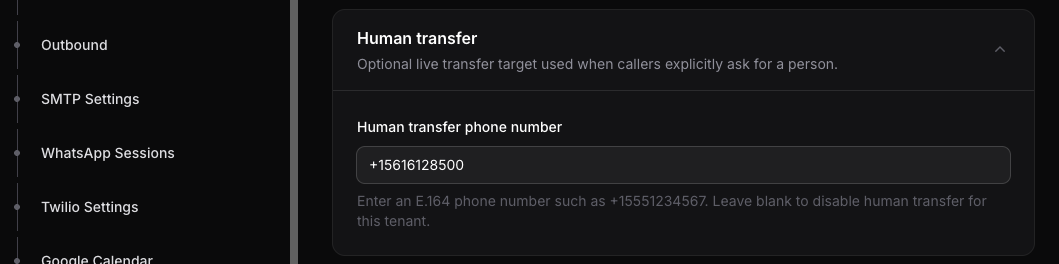
Human transfer phone number: Phone number in international E.164 format (e.g., +15551234567) to which live calls will be transferred if a caller explicitly asks to speak with a human team member.
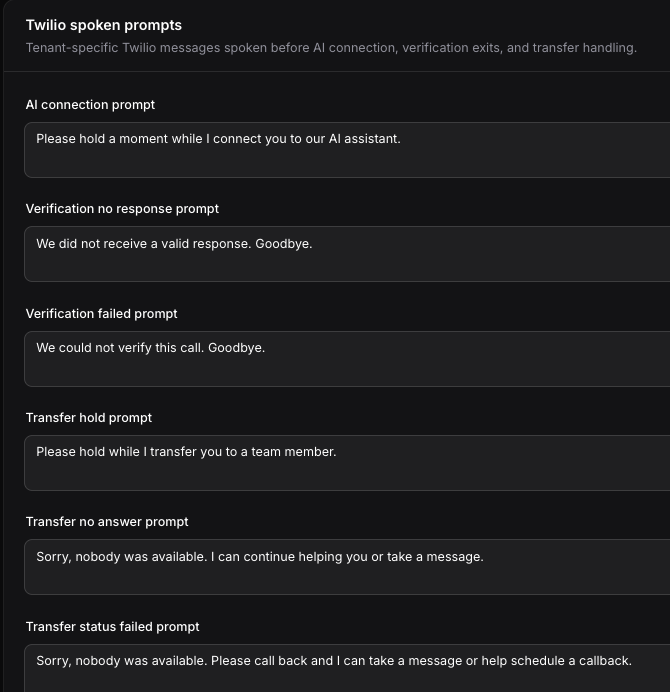
5. Twilio Spoken Prompts:
Allows you to customize system messages for specific events (AI connection welcome messages, unanswered calls, verification failures, or transfer holds).
Ready!
Le resultó útil?
( 0 de 0 lo encontró útil )